Introduction
How light can a fully-fledged business laptop get without compromise? This question hangs in the air as HP unveils the EliteBook X G2i, the second-generation flagship of its “X” line. Shedding serious weight to chase the MacBook Air and ThinkPad X1 Carbon, it promises portability without sacrifice. We dive into its design, performance, and battery life to see if this featherweight truly justifies its premium price for Singapore’s on-the-go professionals.
HP EliteBook X G2i Specs
| Component | Specification / Configuration Options |
| Processor | Intel Core Ultra Series 3 (Panther Lake)
Up to Core Ultra x7 358H / 368H with Intel vPro support |
| AI NPU | Intel AI Boost NPU (Up to 50 TOPS local performance) |
| Graphics | Integrated Intel Arc B390 Graphics |
| Memory | 16 GB / 24 GB / 32 GB / 64 GB LPDDR5x (Soldered, speeds up to 9600 MT/s) |
| Storage | Up to 1 TB / 2 TB PCIe Gen 4 x4 NVMe SSD |
| Display Options | 14.0″ (16:10 aspect ratio)
• WUXGA (1920×1200) Low-power IPS, 400–800 nits (Optional HP Sure View 6 privacy screen) • 3K (2880×1800) OLED, Anti-glare, 120Hz Variable Refresh Rate (VRR), 500–700 nits, 100% DCI-P3 |
| Audio & Camera | Poly Studio Quad Stereo Speakers with discrete amplifiers; 5 MP user-facing IR Camera with physical privacy shutter |
| I/O Ports | Left: 2x Thunderbolt 4 (USB-C), 1x HDMI 2.1, 3.5mm combo audio jack
Right: 1x USB-A 3.2 Gen 1 (Drop-jaw), 1x USB-C (10 Gbps) Optional: Nano SIM slot, Smart Card reader |
| Connectivity | Intel Wi-Fi 7, Bluetooth 6.0, Optional 5G LTE (Sub-6 GHz via eSIM) |
| Battery & Charging | 64 Whr internal battery; Up to 100W USB-C GaN fast charging (50% in 30 minutes) |
| Dimensions & Weight | 312.7 x 217 x 17.15 mm |
| Security | HP Wolf Security for Business, Hardware TPM 2.0, Windows Hello face/fingerprint recognition |
Design & Build Quality
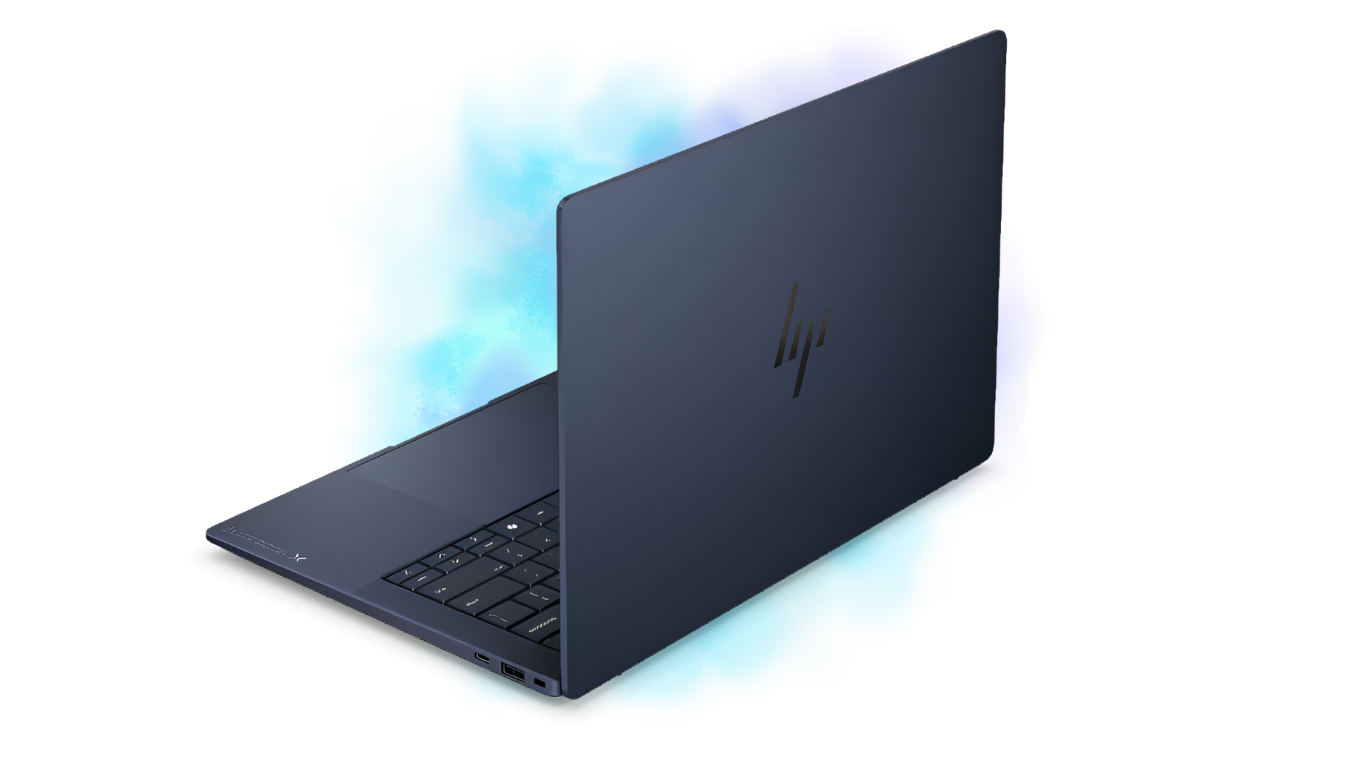
Lifting the HP EliteBook X G2i out of the box is a genuine “wow” moment—its lightness almost defies logic for a machine built for business resilience. The chassis is made from a magnesium/aluminum alloy and then coated with a soft touch finish of “Atmospheric Blue’ that will not show fingerprints.
At less than a kilogram in weight, it also feels much lighter than any previous EliteBook 1000 Series models or competitor products. The frame is extremely rigid and showed no noticeable flex during MIL-STD-810H durability testing and the impact protection of the corners.
The overall look of the device is strikingly professional and modern with the predominant design elements being the ultra-thin bezels with the distinct HP “pill” logo, while at the same time having a strong, durable feel and not sacrificing quality over style.
Display Options & Multimedia Experience
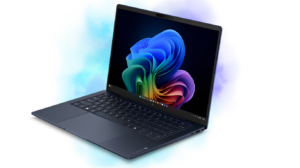
With a 14-inch 16:10 workspace, numerous custom options are available to select different types of screens: a low powered WUXGA (1920×1200) IPS panel at 400nits or an elite 3K (2880×1800) OLED screen. The one we have for testing comes with a 3K anti-glare OLED display that has a variable refresh rate of up to 120hz. In practice, scrolling is butter smooth and text appears sharp.
The wide color gamut provides vibrant colors with the maximum brightness of 500nits; therefore, there will not be any glare issues outdoors. Poly’s Studio quad-speaker system produces a high level of sound clarity which is comparable to MacBook Air’s audio performance; this makes virtual meetings possible to conduct efficiently.
Keyboard & Touchpad
Typing on the HP EliteBook X G2i is a good experience. The keyboard offers around 1.3mm of travel with a satisfying, tactile bump that makes all-day drafting feel effortless and quiet. The crisp white backlighting gracefully handles Singapore’s dimmer café corners, and the dedicated Copilot key sits unobtrusively beside the arrow cluster.
Below sits a spacious haptic “Z-Pad” forcepad—HP’s answer to Apple’s trackpad. It delivers precise, uniform clicking across its entire surface while intelligently rejecting accidental palm brushes, making navigation fluid and frustration-free. For ThinkPad converts, a pointing stick option is available. The power button integrates a rapid fingerprint reader, supplemented by an optional IR camera.
Ports & Connectivity

HP EliteBook X Series manages to skip the frustrating “dongle life” entirely, outclassing competitors like the sparse Dell Latitude 7450 Ultralight. On the left side, you’ll find two Thunderbolt 4/USB4 ports, as well as one HDMI 2.1 port and one 3.5mm audio jack.
Flip to the right, there is one USB A 3.2 Gen 1 port, one extra USB-C port, optional slots for a nano SIM card and smart card reader. In addition to this, it is completely future-proof with Wi-Fi 7, Bluetooth 6, and optional 5G modules to keep you productive anywhere in Singapore without needing to look for a hotspot.
Performance & Thermals
Equipped with Intel’s latest Core Ultra Series 3 (Panther Lake) x7 358H processor, up to 64GB of blistering LPDDR5x RAM, and a fast PCIe Gen 4 SSD, this machine handles heavier workflows without flinching. Juggling 50+ open browser tabs, active video calls, and complex Excel macros feels entirely fluid.
While its integrated Arc B390 graphics easily handle on-the-go Photoshop or light Premiere Pro edits, its real superpower is the dedicated NPU. Pushing a massive 50 TOPS, it unlocks advanced Copilot+ local AI tools like real-time translations and Poly Studio audio filters. Under heavy creative loads, the dual-fan cooling system successfully prevents dangerous overheating, though you will hear a noticeable fan whir as it vents heat away from your lap.
Battery Life & Charging
The HP EliteBook X Series houses a 68 W/hr non-removable battery that surprises with genuine stamina. In our standard productivity loop at 50% brightness on Wi-Fi, the 2.8K OLED touch panel delivered a solid 12 hours, stretching significantly further on WUXGA configurations. Heavy Teams calls drain roughly 18% per hour—respectable for all-day hybrid workers.
With its small size and powerful performance, the 65W USB-C wall adapter delivers on its fast-charging capabilities — charging devices up to 50% within 30 minutes and fully charging most devices within 90 minutes.
Are you an Apple Fan? Check out our MacBook Neo Review: Vibrant Colors & Familiar Feel
Final Verdict: Rating, Pros & Cons
Rating: 4.5/5
Pros
- Light without sacrificing military-grade durability.
- 8K 120Hz OLED option with vivid colors and deep blacks.
- Haptic touchpad and comfortable keyboard.
- Multiple connection types including USB-A and HDMI, plus optional 5G; no need for a dongle!
- Good enterprise security, vPro-ready for asset management.
Cons
- RAM is soldered onto the motherboard limiting future upgrade options.
- The OLED display reduces battery life substantially.
- When increasing specs, the price quickly becomes premium.
- There is no SD or microSD card slot for creative professionals.
- The speakers have improved, but they don’t reach the level of the MacBook Air.
Final Words: Who Is It For?
Designed specifically for business travelers, consultants and hybrid workers who want great portability with no reduction in how well they perform their tasks, the HP EliteBook X Series is equally well-suited as an ultra-mobile standard, highly secure, easy to manage fleet of ultra-lightweight systems for enterprise IT departments looking to deploy this type of fleet.
The HP EliteBook G2i will not be the right fit for heavy data scientists or 3D designers looking for desktop or rich graphical computer systems with large amounts of RAM and limited upgradeability.
Are you having issues with your Mac? Check here some simple troubleshooting tips